
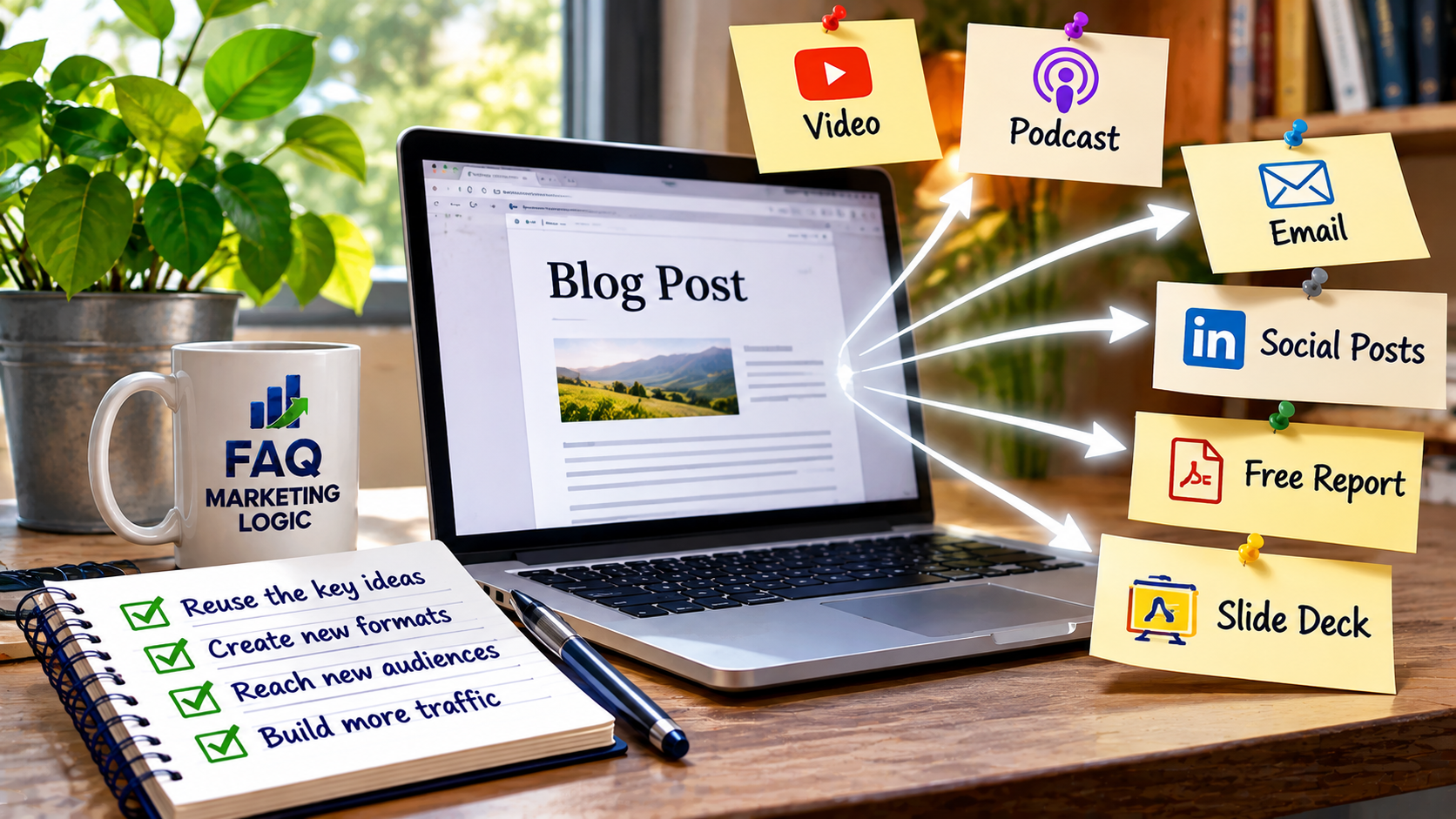
How Do I Turn One Blog Post Into Several Traffic Opportunities?
One blog post can create several opportunities to attract visitors without requiring you to write completely new content for every marketing channel.
By turning the original article into useful social posts, email content, short answers and related resources, you can introduce the same ideas to different audiences.
The key is to adapt the message for each channel rather than simply copying the article everywhere.
IN SHORT
Publishing a blog post is only the beginning.
You might spend several hours researching and writing a useful article, publish it on your website and then immediately move on to the next topic.
But that article could provide material for several other ways of reaching potential readers.
A practical explanation might become an email, a LinkedIn post, a short FAQ answer or a discussion in a relevant online community.
You don't need to create something entirely new each time.
You need to identify the most useful ideas within the original article and present them in ways that suit different platforms.
WHY THIS WORKS
Start With One Useful Article
The strongest starting point is a blog post that answers a specific question.
For example, imagine you've published an article explaining how beginners can choose their first digital product.
The article might cover identifying customer problems, checking demand and avoiding unnecessary development work.
Each of those ideas could become a separate piece of supporting content.
However, the original article should remain your main resource.
Your shorter content introduces the subject, while the blog post provides the fuller explanation.
This approach works particularly well when your website has a clear content structure.
Our article How Do I Build Topical Authority? explores how related content can help establish a website's coverage of a subject.
The objective isn't to publish the same information everywhere. It's to make your existing knowledge accessible through several relevant entry points.
Turn Key Points Into Social Content
A detailed article may contain several useful observations that work independently.
For example, a post about digital product creation might include this point:
"Don't spend weeks creating a product before checking whether people actually want it."
That idea could become a LinkedIn post explaining why testing demand matters.
Another section might provide a short checklist suitable for Facebook.
You could also create a simple infographic illustrating the decision-making process.
Each piece should provide something useful on its own.
Avoid posting nothing more than a link with a request to visit your website.
Give readers a reason to care about the subject before inviting them to explore the complete article.
You also don't need to use every social platform.
Choose the channels where your intended audience is most likely to engage.
Use The Article In Your Email Marketing
Your email list provides another opportunity to introduce existing content.
Rather than simply announcing that you've published a new article, explain why the subject matters.
Suppose your blog post discusses improving an online offer.
Your email could introduce a common problem, share one practical suggestion and invite subscribers to read the complete explanation.
The email delivers value even if someone doesn't click.
Readers who want more detail can follow the link.
You can also revisit older articles when they're relevant to a new discussion.
A useful post doesn't become worthless simply because it was published several months ago.
The important thing is to make sure the information remains accurate and helpful.
Answer Related Questions
A comprehensive article often answers several smaller questions.
These questions can become useful material for other discovery channels.
For example, an article about email marketing might answer:
How often should beginners email subscribers?
What should a welcome email include?
Why do subscribers stop opening emails?
Each question could inspire a short, self-contained answer on a relevant platform.
Where appropriate and permitted, you can point readers towards your original article for further explanation.
This is particularly useful when people are actively searching for answers.
However, avoid copying the same response into multiple discussions or posting promotional links where they aren't welcome.
Your contribution should genuinely help the person asking the question.
Connect The Article With Existing Content
You don't always need an external platform to create another traffic opportunity.
Your existing website can help readers discover relevant articles.
Suppose you've written a new post about improving email engagement.
You may already have articles discussing welcome sequences, subject lines and email frequency.
Adding relevant internal links between those resources helps visitors continue exploring the subject.
It also gives search engines clearer information about how your content is connected.
Our article Should I Update Old Posts or Publish New Ones? explains why improving existing content can be worthwhile alongside publishing new material.
Internal linking won't guarantee additional traffic, but it can make useful information easier to discover.
Create A Simple Distribution Routine
Repurposing content can become another time-consuming task if you try to do everything.
A simpler approach is to choose two or three activities you can manage consistently.
For each new blog post, you might:
Publish the original article.
Send one useful email introducing the topic.
Create one social post based on a key lesson.
Add links from relevant existing articles.
That gives you several opportunities to introduce the same resource without developing an entirely new marketing campaign.
As your content library grows, you can revisit successful articles and adapt them for other channels.
The goal is to make better use of work you've already completed.
PRACTICAL EXAMPLE
Imagine you publish an article titled "How Do I Choose My First Digital Product?"
Instead of publishing it once and moving on, you create a small distribution plan.
Content | Purpose |
|---|---|
Original blog post | Provide the complete explanation |
Email newsletter | Introduce one common beginner mistake |
LinkedIn post | Share three product selection checks |
Short FAQ answer | Address a related beginner question |
Internal links | Connect relevant existing articles |
You now have five ways for someone to encounter the topic.
Not every activity will generate traffic, and the results will depend on your audience and distribution channels.
But you're giving one useful article more opportunities to reach interested readers.
REAL TALK
Repurposing content doesn't mean turning every article into ten social posts, three videos and a downloadable guide.
That can quickly become more work than writing the original article.
It also doesn't guarantee additional visitors.
If your audience isn't active on a particular platform, publishing more content there may achieve very little.
Start with the channels that make sense for your business.
A blog supported by a useful email list and a small number of relevant distribution activities can be a perfectly reasonable approach.
The aim is to extend the useful life of your content without creating another complicated marketing system.
COMMON MISTAKES
Mistake: Copying the same content everywhere.
Fix: Adapt the message to suit each platform and its audience.
Mistake: Trying to use every marketing channel.
Fix: Concentrate on two or three activities you can maintain.
Mistake: Sharing links without providing value.
Fix: Include a useful explanation or practical takeaway before introducing the article.
Mistake: Forgetting older content.
Fix: Revisit relevant articles and share them when the subject becomes useful again.
FAQ QUICK FIX
Want to get more value from your next blog post?
1. Identify three useful ideas. Choose points that make sense independently.
2. Create one email. Explain why the subject matters and introduce the full article.
3. Prepare one social post. Share a practical lesson rather than copying the introduction.
4. Find related articles. Add relevant internal links where they help readers.
5. Review the results. Check which activities generate worthwhile visits or engagement.
Repeat the activities that prove useful.
FAQ
Can I Republish The Same Blog Post On Other Websites?
You can where the platform permits it, but consider whether a shorter adaptation would be more useful. If you republish the full article, check the platform's canonical URL options to help identify the original source.
Does Repurposing Content Help SEO?
It can support content discovery and bring additional visitors, but reposting material doesn't automatically improve search rankings. Relevant internal links and useful original content remain important.
Should I Share Every Blog Post On Social Media?
Not necessarily. Prioritise articles that are particularly relevant to your audience and the platforms you use.
How Often Can I Reuse An Older Article?
There's no fixed rule. Revisit it when the information is still accurate and the subject is relevant to your audience.
Which Traffic Opportunity Should I Try First?
Start with the channel where you already have an interested audience. That might be your email list, an existing social profile or related content on your own website.
TRY THIS TODAY
Choose one article you've already published.
Find three useful ideas within it and decide how each could reach another audience.
Turn one into a short email, another into a social post and use the third to strengthen a relevant internal link.
You don't need to complete everything immediately.
Start with one additional distribution activity and see whether it brings worthwhile results.
Want To Explore Building An Online Business Further?
Attracting visitors is an important part of developing an online business, but traffic is only useful when it supports a clear purpose.
You also need suitable offers, a way to connect with potential customers and a business model that makes commercial sense.
If you'd like to explore the wider process of developing an online business, Serious About Six Figures introduces another resource worth investigating.
→ Discover Serious About Six Figures
RELATED ARTICLES
→ Should I Focus on SEO or Social Media First?
→ How Many Blog Posts Do I Need Before Seeing Results?
→ How Do I Get Subscribers Without Paid Ads?
QUICK RECAP
One useful blog post can support several traffic opportunities when you adapt its strongest ideas for different channels.
Start with a helpful original article, create a small amount of supporting content and connect it with related resources.
Focus on the activities that suit your audience rather than trying to be everywhere.
The aim isn't to create more content for the sake of it. It's to help more people discover the useful content you've already created.
NEXT STEP
Once you've created several opportunities for readers to discover your content, the next challenge is making sure those visitors can find their way around your website.
Explore our Traffic pillar for more practical guidance on attracting visitors and making your content easier to discover.